Session replay is defined as a technology that records and reconstructs user interactions as visual, step-by-step playbacks, giving QA teams the exact context they need to find, reproduce, and fix bugs. The role of session replays in QA has grown from a debugging convenience into a core quality assurance practice. Unlike static logs or crash reports, session replay shows you what actually happened: the clicks, scrolls, form inputs, and UI states that led to a failure. Teams using this technology report cutting mean time to resolution from days to minutes, and the reasons are clear once you see what the data captures.
How do session replays improve bug detection and resolution in QA?
Session replay eliminates the most frustrating ticket in QA: "cannot reproduce." When a user reports a bug, the traditional workflow requires support to ask follow-up questions, developers to guess at conditions, and testers to attempt recreation from incomplete descriptions. Session replay collapses that entire chain into a single visual record.

The core benefit is precision. Visual context from replays turns vague complaints into fixable issues in minutes rather than days. A tester watching a replay sees the exact sequence of events: which button was clicked, what state the UI was in, and which network call failed immediately before the error appeared. There is no guessing.
Technical data compounds this advantage. Session replay tools link console errors, API failures, and network request timelines directly to the moment they appear in the visual playback. This means a developer does not need to reproduce the environment. They watch the session, see the failed API call at the 0:43 mark, and go straight to the relevant code.
- Shared session links let engineers, support staff, and product managers view the same replay without needing access to the original environment.
- Timestamped annotations allow QA testers to mark the exact failure point before forwarding to developers.
- Filtered session search lets teams find sessions by error type, URL, or user attribute, so they are not watching irrelevant recordings.
Pro Tip: Paste a session replay link directly into your bug report instead of writing a steps-to-reproduce section. The replay is the reproduction. It saves time for everyone and removes ambiguity entirely.
What types of user interaction data do session replays capture?
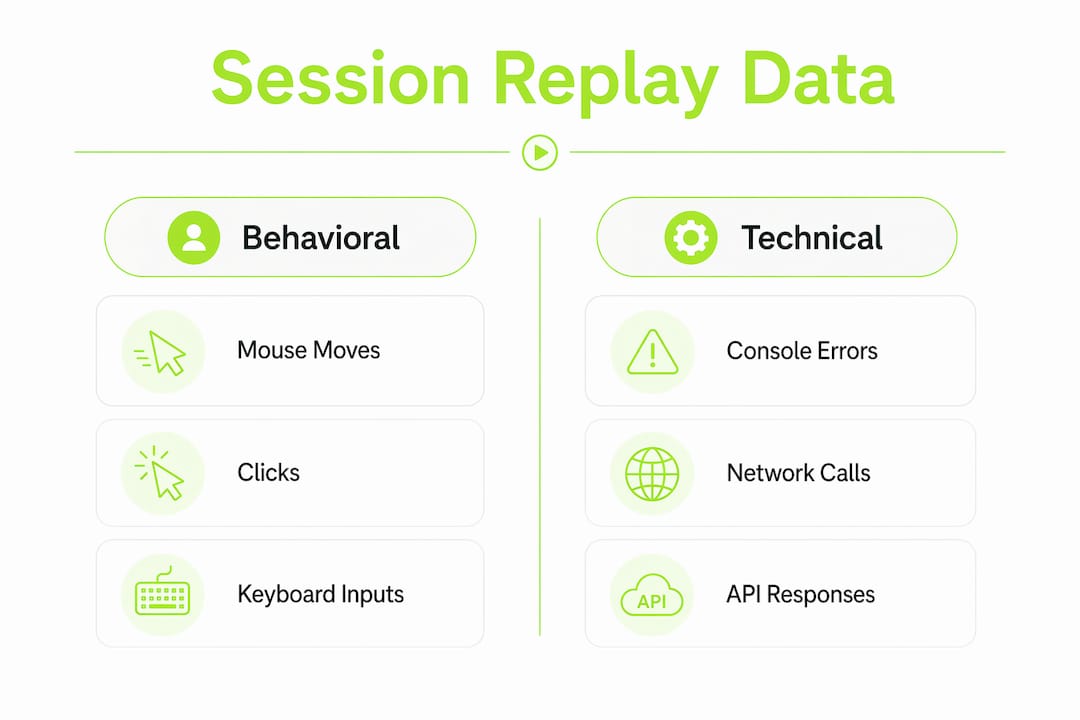
Session replay captures far more than a screen recording. The data falls into two categories: behavioral and technical. Both are captured simultaneously and linked to the same timeline.
Behavioral data
Behavioral data includes mouse movement, clicks, scrolls, keyboard inputs, and form interactions. This layer shows you how a user navigated the interface. You can see hesitation before a button click, repeated attempts on a broken form field, or a user scrolling past a call-to-action without engaging. Session replay captures 100% of user interactions, identifying friction such as rage clicks and infinite spinners that cause users to abandon a flow entirely. Rage clicks, where a user clicks the same element repeatedly in frustration, are a direct signal of a broken or confusing UI element.
Technical data
Technical data runs in parallel. Console errors, JavaScript exceptions, network requests, and API response codes are all captured and synchronized with the visual timeline. This is what separates session replay from a simple screen recording. When you see a spinner that never resolves, the technical layer shows you the API call that timed out at the same moment.
The table below shows how session replay compares to standard logs and heatmaps in terms of data capture scope.
| Data type | Session replay | Standard logs | Heatmaps |
|---|---|---|---|
| Individual user journey | Yes | No | No |
| Console errors and API calls | Yes | Yes | No |
| Mouse movement and clicks | Yes | No | Aggregated |
| Rage clicks and friction signals | Yes | No | Partial |
| UI state at time of error | Yes | No | No |
| Aggregated behavior patterns | Partial | No | Yes |
Heatmaps show you where many users clicked across thousands of sessions. Session replay shows you what one specific user did and why it went wrong. Both are useful, but they answer different questions. QA teams need the individual session detail to reproduce and fix bugs. Product teams use aggregated heatmap data to spot patterns. Session replay detects UX issues like poor navigation, browser compatibility failures, and confusing process flows that standard logs never surface.
How does session replay fit into the QA and product workflow?
Session replay works best when it functions as a shared source of truth across departments. QA testers, developers, product managers, and customer support staff all interpret the same event differently when they read a text description. A replay removes that ambiguity. Everyone watches the same recording and sees the same problem.
The role of session replays in customer support is equally direct. When a support ticket arrives, the agent links the relevant session replay to the ticket. The developer assigned to the issue watches the replay instead of sending three follow-up emails. Resolution time drops, and the customer gets a faster answer.
- QA pipeline integration: Attach replays automatically to failed test runs or error alerts so developers receive context without manual effort.
- Design validation: After shipping a UI change, watch session replays of real users interacting with the new design to confirm it behaves as intended.
- Regression detection: Filter replays by the date of a deployment to spot new friction patterns that appeared after a release.
Pairing session replay with funnel analytics provides quantitative context to qualitative session data. Funnel analysis tells you that 40% of users drop off at step three of your checkout flow. Session replay tells you exactly why: a form validation error that only appears on mobile Safari. One metric identifies the problem. The other explains it.
AI is accelerating this further. AI-powered session replay tools now connect user friction data with CRM records, turning diagnostic playbacks into early warning signals for account churn. A QA team that flags a broken onboarding flow is no longer just fixing a bug. They are protecting revenue.
Pro Tip: Combine session replay with user feedback surveys triggered at the moment of friction. When a user rage-clicks a button, prompt them with a one-question survey. The replay shows what happened. The survey tells you how the user felt about it.
What are the common challenges in implementing session replay?
Privacy is the first concern QA teams raise, and it is legitimate. Session replay captures form inputs, which can include passwords, credit card numbers, and personal data. The answer is field masking, which redacts sensitive inputs before they are recorded. Any session replay tool worth using supports this. GDPR compliance requires it, and responsible implementation demands it.
Performance impact is the second concern. Recording every user session adds overhead to the application. The practical solution is sampling: capture 100% of sessions that contain errors and a smaller percentage of clean sessions. This gives QA teams full coverage of failure cases without taxing the application unnecessarily.
Tool selection matters more than most teams realize. DOM reconstruction is the feature that separates useful session replay tools from basic screen recorders. A tool that rebuilds the Document Object Model lets testers inspect HTML element states and application data at any point in the replay. A tool that only records video gives you a movie. A tool that reconstructs the DOM gives you an interactive debugging environment.
- Start with error-triggered capture. Record every session that generates a JavaScript error or a failed API call. This gives you maximum signal with minimum noise.
- Set data retention policies. Most teams do not need session data older than 90 days. Define retention limits before you go live.
- Train QA teams on search and filtering. The value of session replay collapses if testers watch random recordings. Teach the team to filter by error type, user segment, and device type.
Pro Tip: When onboarding your QA team to session replay, assign each tester one specific bug category to investigate using replays for the first two weeks. Focused practice builds fluency faster than open-ended exploration.
The maturity curve for session replay in QA moves from reactive to proactive. Teams start by using replays to fix reported bugs. Over time, they begin watching replays proactively to catch friction before users report it. That shift is where the real quality improvement happens.
Key Takeaways
Session replay is the most direct path from a bug report to a confirmed reproduction, and QA teams that integrate it across their workflow resolve issues faster and catch more usability problems before users do.
| Point | Details |
|---|---|
| Eliminates "cannot reproduce" | Replays give exact visual and technical context, turning vague reports into fixable issues. |
| Captures behavioral and technical data | Mouse events, console errors, and API failures are all linked to the same session timeline. |
| Fits across QA, support, and product | Shared replay links unify understanding across departments without extra communication. |
| Privacy requires field masking | Redact sensitive inputs before capture to stay GDPR-compliant and protect user data. |
| DOM reconstruction beats video | Choose tools that rebuild the DOM for interactive debugging, not just passive playback. |
Session replay changed how I think about QA quality
The conventional wisdom in QA is that better test coverage prevents more bugs. That is true, but it misses the point. Test coverage tells you what you tested. Session replay tells you what actually happened to real users in production. Those are two different problems, and conflating them is where most QA teams fall short.
What I have seen repeatedly is that the bugs causing the most user pain are not the ones that fail automated tests. They are the edge cases: the user on an older Android browser, the person who copies and pastes into a form field instead of typing, the session that hits a race condition because the user clicked submit twice. Session replay surfaces all of these. Automated tests almost never do.
The teams that get the most from session replay are not the ones with the most sophisticated tooling. They are the ones who build a habit of watching replays regularly, not just when a ticket arrives. Proactive replay review, even 30 minutes a week, consistently surfaces issues that would otherwise reach users and generate support volume.
AI is making this more powerful. Tools that surface product improvement signals with AI can now flag sessions worth watching automatically, so QA teams spend time on the highest-signal recordings instead of searching manually. That is the direction the practice is heading in 2026, and teams that adopt it early will have a measurable quality advantage.
The mistake I see most often is treating session replay as a support tool rather than a QA tool. The two uses are not mutually exclusive. The same replay that helps a support agent understand a complaint is the same replay that helps a developer fix the underlying cause. The data is the same. The audience is just different.
— Dizzy
How Coevy helps QA teams capture friction and resolve issues faster
QA teams need session replay that works inside the product, not as a separate monitoring layer bolted on afterward.
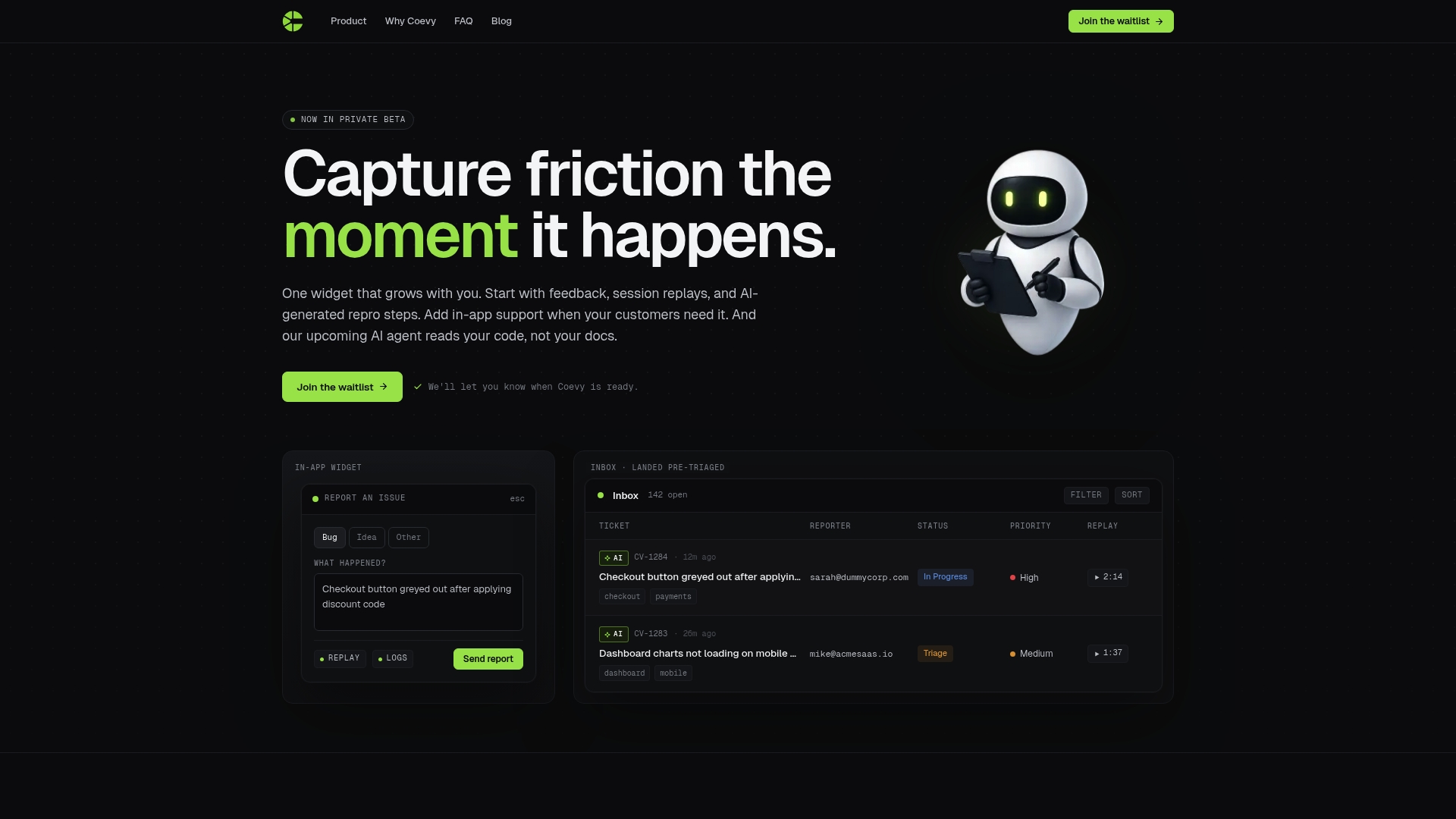
Coevy embeds session replay directly into your web app as an integrated widget. When a user hits a bug, Coevy automatically attaches the session replay, console logs, and AI-generated reproduction steps to the bug report. Your team gets the full picture without asking the user a single follow-up question. Coevy is GDPR-compliant, with field masking and IP anonymization built in. For QA teams that want to move from reactive bug fixing to capturing friction the moment it happens, Coevy is built for exactly that workflow.
FAQ
What is the role of session replays in QA?
Session replay gives QA teams a visual reconstruction of user interactions, including UI states, console errors, and network activity, so they can reproduce and fix bugs without guessing at conditions.
How does session replay reduce bug resolution time?
By providing exact visual and technical context for each user session, session replay cuts resolution time from days to minutes and eliminates back-and-forth between support, testers, and developers.
What is DOM reconstruction in session replay?
DOM reconstruction means the tool rebuilds the Document Object Model during playback, allowing testers to inspect HTML element states and application data interactively, rather than just watching a video.
How do session replays handle user privacy?
Responsible session replay tools use field masking to redact sensitive inputs before recording and support IP anonymization to maintain GDPR compliance without losing debugging value.
How is session replay different from heatmaps?
Heatmaps aggregate click and scroll behavior across many users. Session replay shows the complete, individual journey of one user, including the technical events that caused a specific failure.