Adding a feedback widget to your SaaS without a developer is fully achievable today using three no-code methods: a JavaScript snippet, an iFrame embed, or a dynamic QR code linked to an external form. Product managers and SaaS founders no longer need to file a ticket and wait two sprints to collect user feedback. The industry term for this category is "no-code feedback integration," and it covers any setup where a non-technical team member deploys a feedback widget through a UI, a copy-paste snippet, or a shareable link. This guide walks you through what you need, how to do it, and what to avoid.
How to add a feedback widget to your SaaS without a developer
The three core delivery methods for no-code feedback integration are JavaScript snippets, iFrame embeds, and dynamic QR codes. Each works without touching your application's source code directly. No coding is required; most platforms offer free tiers or trial credits to get started. That low barrier means a product manager can have a live feedback widget running in under an hour.
What you need before you start
You need two things: access to your SaaS admin panel or CMS, and a feedback widget platform that generates embed code through its UI. No command line. No pull request. Most site builders like Webflow, Bubble, or WordPress accept raw HTML and script tags in their settings panels, which is all a JavaScript snippet or iFrame requires. If you have neither admin access nor a site builder, a dynamic QR code or shareable link is your fallback.

Comparing the three no-code methods
| Method | Ease of setup | Customization | Real-time feedback |
|---|---|---|---|
| JavaScript snippet | High | High | Yes |
| iFrame embed | High | Medium | Yes |
| Dynamic QR code / link | Very high | Medium | Yes |
The JavaScript snippet gives you the most control over placement and triggers. The iFrame is slightly more limited but works in almost any environment. The dynamic QR code requires zero access to your product's code at all, making it the fastest option when embedding is not possible.
Step-by-step: embedding a feedback widget with no technical skills
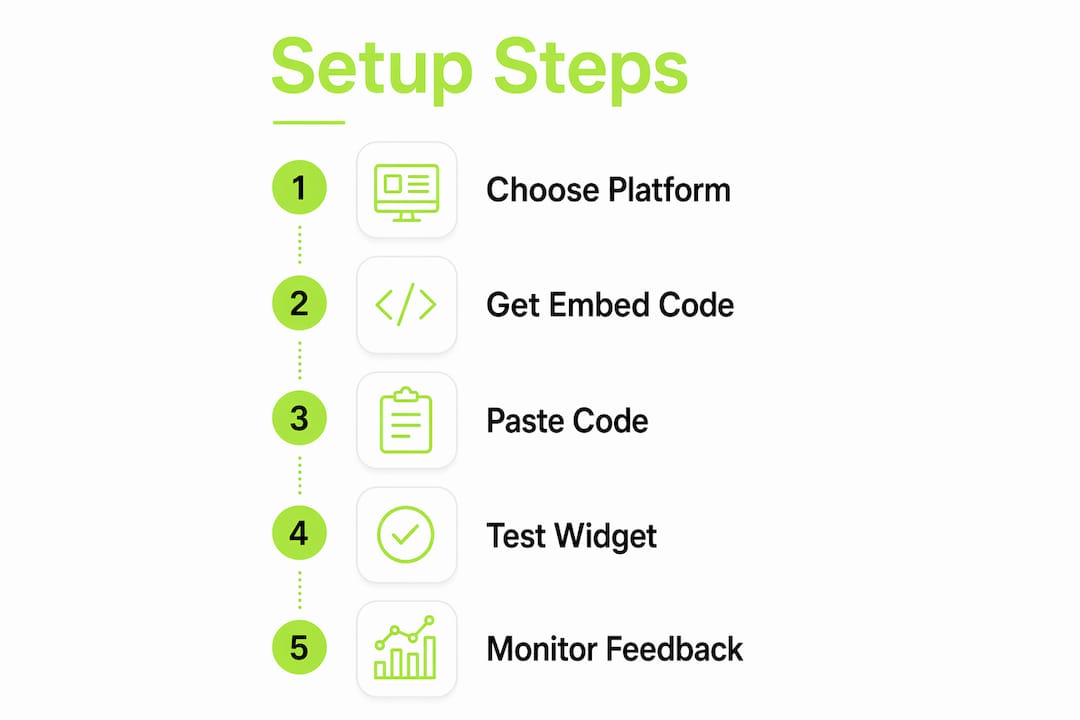
The steps below apply to any no-code feedback platform. The exact UI labels differ, but the process is the same.
- Create an account on a no-code feedback platform and start a new widget or form project.
- Customize your widget using the platform's visual editor. Choose your question types (rating scale, open text, multiple choice), set your branding colors, and configure notification settings. Natural language AI platforms let you describe the form verbally and build it automatically, which cuts setup time further.
- Set your trigger. Choose when the widget appears. Options typically include page load, exit intent, button click, or a specific user action. Intent-based triggers produce better data than timers, so tie the widget to a meaningful moment like completing onboarding or visiting the pricing page.
- Copy the embed code. The platform generates a JavaScript snippet or iFrame tag. Copy it from the dashboard.
- Paste the code into your SaaS admin or site builder. In Webflow, this goes in the Page Settings custom code field. In WordPress, use a header/footer plugin or the theme's custom code section. In Bubble, use the HTML element. Pasting embed code in supported platforms requires no technical skills beyond finding the right settings panel.
- Publish and test. Open your product in an incognito window and trigger the widget manually to confirm it displays and submits correctly.
Pro Tip: Test your widget on both desktop and mobile before announcing it to users. Many embed issues appear only on smaller screens, and catching them early saves you from collecting zero responses for a week.
If embedding code is not an option at all, creating a dynamic QR code takes under five minutes on platforms like Supercode and requires no coding. You can print it, add it to an email, or link it from a button inside your app. The dynamic format means you can change the destination form later without reprinting or re-linking anything.
| Method | Steps to deploy | Can update without redeploying? | Best for |
|---|---|---|---|
| JavaScript snippet | 6 steps | No (requires re-paste) | Full in-app widget |
| iFrame embed | 6 steps | No (requires re-paste) | Embedded survey panel |
| Dynamic QR / link | 3 steps | Yes | No-admin-access situations |
Common mistakes that kill feedback programs before they start
Most feedback widget failures are not technical. They are operational. The most common failure is routing responses into an unmonitored channel, a Slack channel nobody checks, a spreadsheet nobody opens, or an email inbox shared by five people with no clear owner. Feedback routed into unmonitored channels becomes a "black hole" where responses accumulate and nothing changes. Users notice when their feedback disappears into silence, and they stop submitting.
The second most common mistake is using a timer-based trigger. Showing a feedback widget after 30 seconds on a page tells you nothing about what the user was doing or feeling. Intent-based triggers tied to specific clicks, page views, or completed actions collect higher quality data and annoy users far less.
Other mistakes worth avoiding:
- Skipping frequency caps. Showing the same widget to the same user repeatedly causes survey fatigue. Set a rule that each user sees the widget at most once every 30 days.
- Asking too many questions. A widget with seven questions gets abandoned. One to three focused questions gets answered.
- No mobile testing. iFrame embeds in particular can break on small screens if width is set in pixels rather than percentages.
- Undefined "done" state. If nobody knows what happens after feedback is reviewed, nothing happens. Define what "acted on" means before you launch.
"A significant failure is focusing only on the technical installation of feedback widgets, ignoring the operational feedback loop, ownership, and cadence necessary for productive outcomes."
Pro Tip: Run a five-minute internal test before going live. Submit a test response yourself and trace it from submission to wherever it lands. If you cannot find it in under 60 seconds, your routing is broken.
How to turn collected feedback into product decisions
Collecting feedback is the easy part. Acting on it is where most teams stall. The fix is structural, not technical.
Assign a named owner to your feedback channel. One person. Not "the product team." That person is responsible for reviewing submissions and flagging items that need a response or a ticket. Assigning a named owner and reviewing feedback on a fixed cadence, such as twice weekly, ensures responses get acted on rather than ignored.
Set up a review cadence and stick to it. Twice weekly works well for early-stage products. Once weekly is acceptable for mature products with lower submission volume. The cadence forces the habit.
Use categorization to make patterns visible:
- Bug reports go directly to your issue tracker with a link to the session or screenshot.
- Feature requests go to your product backlog with a priority tag.
- Praise gets shared with the team and filed for case study material.
AI tagging speeds this up considerably. Platforms that support AI-powered categorization can sort incoming feedback automatically, so your owner spends time deciding, not sorting. Integrate your feedback tool with Slack or your project management platform so new submissions trigger a notification. Passive review systems fail. Active notifications keep feedback visible.
A well-designed customer feedback loop connects submission to review to action to closure. Define what "closed" means for each category. For bugs, it means a fix is shipped. For feature requests, it means the item is either added to the roadmap or declined with a reason. Users who see their feedback acknowledged submit more feedback. That cycle compounds over time.
No-code feedback tools also support dynamic links and widgets that let you change questions or destinations without redeploying code. That flexibility matters when you want to run a seasonal campaign or A/B test two question formats without filing a developer request.
Key Takeaways
No-code feedback integration works when you combine the right delivery method with a clear operational process for reviewing and acting on responses.
| Point | Details |
|---|---|
| Three delivery methods | JavaScript snippets, iFrame embeds, and dynamic QR codes each work without touching source code. |
| Intent-based triggers win | Tie your widget to specific user actions, not timers, to collect relevant, high-quality feedback. |
| Ownership is non-negotiable | Assign one named person to review feedback on a fixed cadence or responses will go unread. |
| Categorize from day one | Sort feedback into bugs, feature requests, and praise to make patterns visible and routing fast. |
| Dynamic formats stay flexible | Dynamic QR codes and links let you update questions without redeploying or re-embedding anything. |
Why I think most teams overcomplicate this
Product managers often treat feedback widget implementation as a technical problem when it is actually an organizational one. I have seen teams spend three weeks debating which platform to use, then deploy a widget with no owner and no review schedule. The widget collects 200 responses in a month. Nobody reads them. The team concludes that "users don't give useful feedback."
The technical setup takes an afternoon. The organizational setup takes a conversation. Decide who owns feedback before you deploy anything. Decide what you will do with a bug report versus a feature request before the first submission arrives. That 15-minute conversation is worth more than any platform comparison.
For first-time implementers, I recommend starting with a JavaScript snippet and a single open-text question: "What is one thing that frustrated you today?" That question surfaces real problems fast. You can add rating scales and conditional logic later once you have a review habit in place.
No-code capabilities in 2026 have removed every technical barrier that once justified waiting for a developer. The remaining barriers are all internal. Fix the process first, then refine the widget.
— Dizzy
Coevy makes no-code feedback collection straightforward
Product managers who want a feedback widget running today without filing a single developer ticket should look at Coevy. The platform embeds directly into your web app through a copy-paste snippet, supports intent-based triggers out of the box, and uses AI to auto-tag incoming feedback as bugs, feature requests, or general comments.
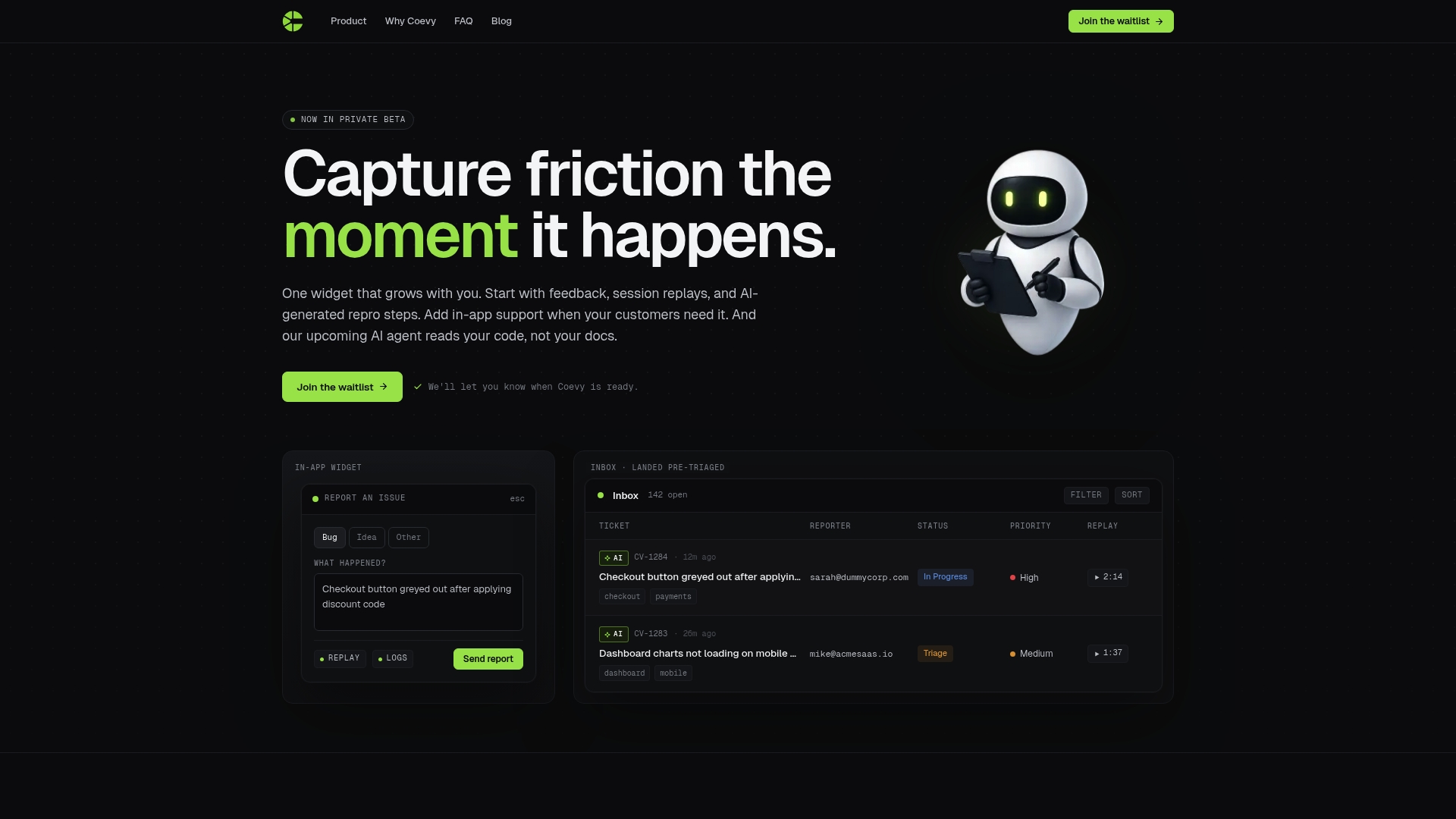
Coevy also attaches session context automatically to every submission, so your team sees exactly what the user was doing when they reported an issue. No follow-up questions needed. The platform is GDPR-compliant, includes field masking and IP anonymization, and scales from early-stage feedback collection to full support ticket management. Visit Coevy's platform page to see pricing and start a free trial.
FAQ
Can I add a feedback widget without touching my app's code?
Yes. Pasting a JavaScript snippet or iFrame into your SaaS admin panel or site builder requires no coding knowledge. Dynamic QR codes and shareable links work even when you have no admin access at all.
What is the fastest no-code feedback method?
A dynamic QR code is the fastest option. Platforms like Supercode generate one in under five minutes with no coding, and the destination form can be updated later without creating a new code.
How do I stop feedback from going unread?
Assign one named owner to your feedback channel and set a fixed review schedule, such as twice weekly. Unmonitored feedback channels are the leading cause of feedback programs that fail to produce product changes.
Do intent-based triggers really outperform timers?
Yes. Triggers tied to specific user actions, like clicking pricing or finishing onboarding, collect feedback at moments of genuine relevance. Timer-based triggers interrupt users randomly and produce lower quality responses.
Does Coevy work without a developer?
Coevy deploys through a copy-paste embed snippet with no developer involvement required for basic setup. Advanced configurations are available for teams that want deeper integration, but core feedback collection is accessible to any product manager or founder.